Backpack Product Configurator Template

Everything You Need to Know About Product Configurators
Buying a customizable product online usually means a long page of dropdowns, a price that stays the same whatever you pick, and the hope that the final checkout total matches what you had in mind. For a product like a backpack, where color, size, and accessories all matter, that guesswork is where shoppers drop off.
A product configurator fixes this by turning the options into a short, guided build. Customers pick a finish, choose a size, add the extras they want, and see exactly what that combination costs right away. Instead of reading a spec sheet, they put together the bag they will actually carry.
This isn't only for enterprise manufacturers with 3D rendering budgets. Any brand that sells a product with variants, such as bags, apparel, furniture, bikes, gift boxes, or merch, can use the same pattern: options on one side, the product image and live price on the other, and a clear next step at the bottom.
The Backpack Product Configurator template packages that experience into a ready-to-use calculator. It handles the pricing math, visual swaps, and add-on logic, so you can focus on what you sell instead of building a custom product builder from scratch.
What is it for?
Bag and backpack brands. Direct-to-consumer bag makers often sell one core design in several colors, sizes, and accessory bundles. The configurator presents all of that in one place, makes the price difference between an 18 L and a 30 L pack obvious, and invites shoppers to add a laptop sleeve or rain cover instead of hiding those extras on separate product pages.
Outdoor, travel, and sporting goods retailers. Gear shoppers like to compare setups. A hiking pack, a gym bag, or a carry-on can each be configured by capacity, color, and accessories. The interactive format suits buyers who want to see the trade-offs before they commit.
Ecommerce stores with variant-heavy products. If your Shopify or WooCommerce product pages are crowded with variant dropdowns, a visual configurator is a cleaner front end. It works for anything sold as a base product plus options, from phone cases and jewelry to custom furniture and bikes.
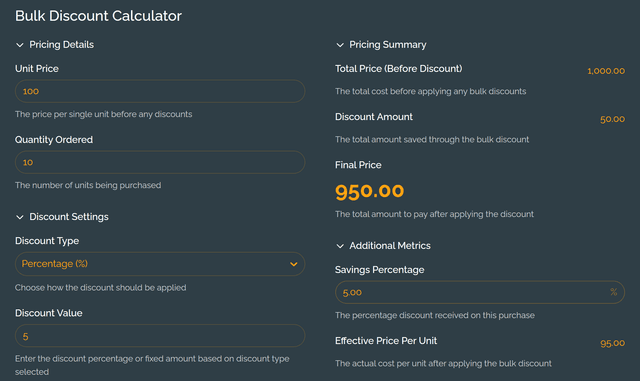
Promotional products and corporate gifting companies. Businesses ordering branded backpacks or kits for teams need to see per-unit pricing and totals for larger quantities. The quantity field and estimated total let buyers price a 50-unit order themselves before contacting sales.
How does the calculator form work?
Step 1: Choose your finish. Shoppers pick from six color swatches: Forest, Slate, Clay, Sand, Charcoal, and Cobalt. The product photo changes as soon as a color is selected, so customers see the exact bag they are building, and a label confirms the current choice.
Step 2: Set your capacity. Three size options sit side by side: 18 L compact, 24 L everyday, and 30 L extended. Each size has its own base price ($88, $108, and $128 in the template), and the live price updates immediately when the shopper switches.
Step 3: Add your carry kit. Each accessory gets a simple Skip / Add toggle with its price shown on the button: a padded 16-inch laptop sleeve (+$18), a removable organizer pouch (+$12), and a pack-away rain cover (+$14). A one-line description under each add-on explains why it's worth having, which keeps upsells helpful rather than pushy.
Step 4: Enter quantity. A required quantity field covers both single purchases and bulk orders.
Live price and order summary. As the shopper makes choices, the "Live price / each" figure recalculates, and a summary line spells out the full configuration, for example "24 L · everyday · Cobalt · 2 pack(s) · estimated total $304.00." There are no surprises at checkout because the shopper sees the math as they build.
Add to cart. The final button sends the configured product to the next step. You can connect it to your cart, a checkout link, an order form, or a lead-capture flow, depending on how you sell.
Behind the scenes, everything is editable in ActiveCalculator's no-code builder. You can rename options, change prices, add or remove add-ons, upload your own product images for each variant, and restyle the form to match your brand.
Examples of Product Configurator use
The same configure-and-price pattern works across very different businesses. Here's how a few of them might adapt this template.
A direct-to-consumer commuter bag brand. A small brand sells one flagship rolltop backpack in five colors and two sizes. Before, each variant was a separate dropdown, and accessories were listed as standalone products that few people found.
They installed the template, replaced the images with their own studio shots for each colorway, and set the laptop sleeve and rain cover as add-ons right inside the build. Shoppers now see accessories at the moment they're choosing the bag.
Because the add-ons sit directly in the buying flow with their prices shown, more customers add one. The brand also stops getting "does the big one cost more?" emails because the price change is visible instantly.
An outdoor gear retailer selling hiking packs. A regional outdoor shop wanted to sell packs online without overwhelming beginners. They reworked the capacity step into "Day hike (20 L)," "Overnight (35 L)," and "Multi-day (50 L)," and swapped the carry kit for a hydration bladder, trekking pole holder, and rain cover.
The plain-language size labels helped first-time hikers choose with confidence, and the description under each add-on did the job a store associate would normally do in person.
Customers arrived at checkout with a complete setup instead of a bare pack, and staff spent less time answering sizing questions by email.
A corporate gifting company. A gifting company sells branded backpacks to HR and events teams. Their buyers need fast per-unit pricing and totals for orders of 25 to 500 units.
They kept the finish and capacity steps, added a "Logo embroidery" option, and connected the final button to a quote request form instead of a cart. The quantity field and estimated total give buyers a real number to take to their budget owner.
The sales team now receives requests that already include color, size, add-ons, and quantity, which shortens the back-and-forth before a deal closes.
A furniture maker repurposing the template. A small furniture studio used the same structure for a modular bookshelf: finish (oak, walnut, black), width (two, three, or four sections), and add-ons (doors, drawers, lighting).
The image swap showed each finish, and the live price helped customers stay within budget while trying different layouts.
Taken together, these examples show the template isn't really about backpacks. It's a reusable product configurator for any item sold as a base product plus options. Start with the closest version of your own product, swap in your options and prices, and you'll have a working configurator on your site in an afternoon.
Benefits of having a Product Configurator on your website
Benefits to your business:
Higher average order value. Add-ons are presented at the moment of decision, with their price on the button. Upsells like a laptop sleeve or rain cover feel like part of building the right product, so more customers include them.
Fewer pre-sale questions. When shoppers can see what each size and accessory costs, they stop emailing to ask. Your team spends less time on repetitive pricing questions and more time on real customer issues.
Cleaner orders with full configuration details. Every order or request arrives with color, capacity, add-ons, and quantity already specified. That reduces fulfillment mistakes and follow-up messages to confirm details.
A more engaging product page. An interactive build keeps visitors on the page longer than a static listing. Watching the product image change and the price update makes shoppers feel invested in their own setup.
Flexible pricing you control. Base prices, add-on prices, and options are all editable without a developer. You can run a promotion, add a new colorway, or retire an accessory in minutes.
One template, many products. The same structure works for other variant-heavy products in your catalog, so you can launch several configurators without starting from zero each time.
Benefits to your customers:
Transparent, real-time pricing. Customers see the per-unit price and order total change with every choice, so the checkout total holds no surprises.
See exactly what they're buying. The product photo updates to match the selected finish, so customers know which color they're getting instead of guessing from a small swatch.
A faster, simpler way to customize. Four clear steps replace a stack of dropdowns. Customers can build their ideal backpack in under a minute, on desktop or mobile.
Helpful guidance on extras. Short descriptions under each add-on explain what it's for, which helps customers decide what they actually need rather than buying blind.
Confidence before checkout. A summary line shows the full configuration, quantity, and estimated total, so customers can double-check everything before they add to cart.
Learn how to create your own custom calculator with our website calculator builder guide.
Backpack Product Configurator FAQs:
Let Shoppers Build Their Perfect Product
Add a product configurator with live pricing, image swaps, and built-in upsells to your site. Customize it for your products in minutes, no code needed.