Farmers Markets online shop Template

Everything You Need to Know About Food Order Forms
A food order form lets customers browse your products, select quantities, see prices update in real-time, and submit orders online. For farmers markets, this means showcasing seasonal vegetables and fruits with images, handling quantity-based ordering, and offering pickup or delivery options.
This template is built specifically for fresh produce sales. Unlike generic forms, it understands how farmers markets operate—with organized product categories, visual displays, conditional delivery fees, and fields for special requests like ripeness preferences or substitutions.
What is it for?
- Farmers Market Vendors — Let customers pre-order before market day. They browse products, select quantities, and choose pickup at your booth or delivery.
- Farm Stand Operators — Capture orders 24/7, even when your stand is closed. Turn missed visits into confirmed orders.
- CSA Programs — Members view seasonal items, customize their shares by adjusting quantities, and submit selections before harvest deadlines.
- Produce Delivery Services — The form automatically adds delivery charges and collects address information for direct-to-door fulfillment.
How does the calculator form work?
Visual Product Display Products show in categories (Veggies, Fruits) with clear images. Customers see broccoli, beetroot, capsicum, carrots, apples, bananas, and more—making ordering feel like shopping.
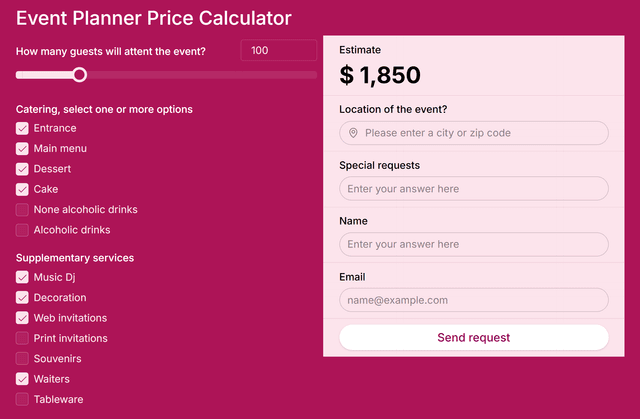
Real-Time Pricing As customers enter quantities, the total updates instantly. No surprises at checkout.
Pickup or Delivery Toggle Customers choose "Pickup" or "Delivery + $10." The food order form adds fees automatically when delivery is selected.
Customer Information The form collects name, email, phone, and special requests—everything needed to fulfill orders and build your customer list.
Examples of Food Order Form use
Multi-Vendor Farmers Market A cooperative representing 12 farms customized the food order form to display products by vendor name. Customers browse all farms in one session and build a single order. Average order values increased 45% compared to walk-up purchases because customers had time to consider their full list.
Seasonal CSA with Flexible Shares An organic farm let members adjust default quantities—reducing items they don't eat and adding more of favorites. The pickup/delivery toggle handled different fulfillment preferences. Member retention jumped from 62% to 91% in the first year.
Benefits of having Food Order Form on your website
For your business:
Higher Order Values — Online customers order 35-50% more than walk-up buyers. They have time to browse everything you offer.
Automatic Customer Data — Every submission captures email and phone for future marketing, seasonal updates, and loyalty offers.
Better Demand Forecasting — Know what customers want before harvest. Reduce waste and bring products people actually ordered.
For your customers:
Shop Anytime — They order whenever convenient, not just during market hours.
Transparent Pricing — Real-time totals show exactly what they'll pay before submitting.
Flexible Fulfillment — Choose between free pickup or convenient delivery.
Learn how to create your own custom calculator with our website calculator builder guide.
Farmers Markets online shop FAQs:
Add a Food Order Form to Your Website
Let customers browse and order fresh produce online. Customize this template with your products and start capturing orders today.