Instant Price Quote Calculator Template

Everything You Need to Know About Quote Calculators
Pricing conversations can make or break a deal. When a potential customer lands on your website and can't figure out what your services cost, they leave. They don't fill out a contact form. They don't call. They bounce to a competitor who makes pricing clear upfront.
A quote calculator solves this by letting visitors build their own price estimate right on your website. Instead of waiting hours or days for a custom quote, they select their service, choose add-ons, set quantities, and see the total update in real time. It turns a passive browsing session into an active buying experience.
The shift toward self-service pricing isn't new, but it's accelerating. Buyers across every industry now expect the same instant, transparent experience they get from e-commerce. Whether you're a cleaning company, a marketing agency, or a SaaS provider, a quote calculator on your website bridges the gap between "I'm interested" and "here's my budget."
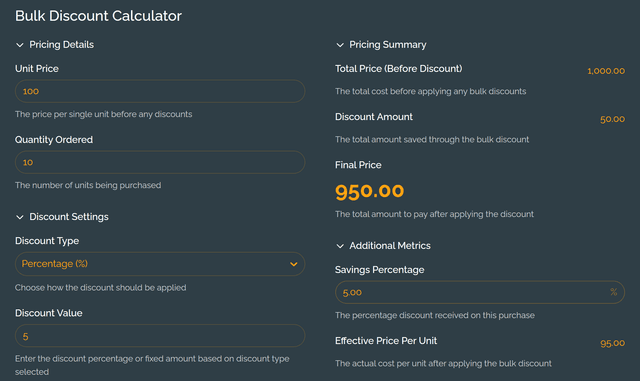
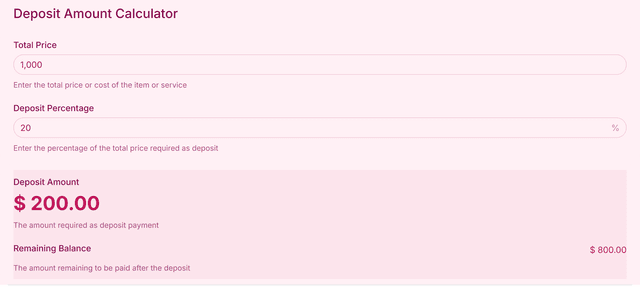
This template gives you a ready-to-use quote calculator that handles the most common pricing scenarios: service tiers, optional extras with fixed pricing, and quantity-based scaling. Customize it to match your brand, swap in your own services, and embed it on any page.
What Is It For?
Service-based businesses that offer tiered packages or configurable pricing. Think cleaning companies with different service levels, marketing agencies with add-on services, or IT consultants with hourly rate variations. A quote calculator replaces the "contact us for pricing" dead-end with a tool that answers the pricing question immediately.
Freelancers and consultants who want to pre-qualify leads before getting on a call. When a prospect can see that your services start at a certain range, the people who do reach out are already budget-aligned. That saves you from wasting time on leads that were never going to convert.
E-commerce and product businesses that sell configurable items or bundles. If your pricing depends on options, quantities, or add-ons, a quote calculator gives buyers clarity without requiring them to do mental math. It reduces cart abandonment and support tickets at the same time.
Agencies and teams running client-facing operations where custom quotes eat up hours every week. Automating the initial estimate means your sales team can focus on closing deals rather than drafting proposals for people who are still in the research phase.
How Does the Calculator Form Work?
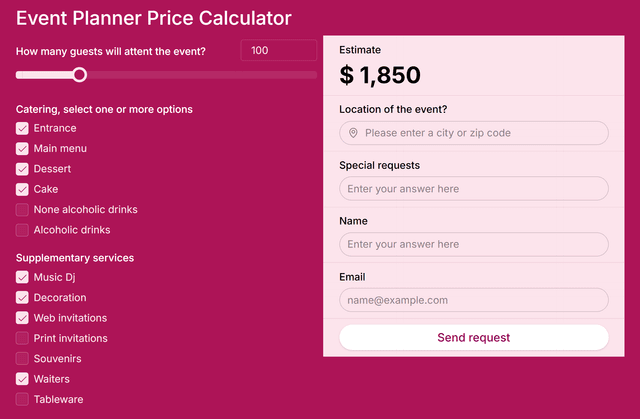
The quote calculator is built around three core inputs that work together to produce a real-time price.
Service selection is the starting point. Visitors choose from your predefined service tiers using radio buttons — only one can be selected at a time. Each option carries its own base price that feeds directly into the total. You can customize the labels, descriptions, and pricing for each tier to match your actual offerings.
Extra services let customers add optional items on top of their base selection. These work as checkboxes, so visitors can select multiple add-ons. Each extra has its own fixed price that gets added to the running total. This is where you capture upsell opportunities — think rush delivery, premium support, extended warranties, or any add-on that increases the value of the order.
Quantity adjustment uses a slider that lets visitors scale their order up or down. The calculator multiplies the combined service and extras price by the selected quantity, giving an instant total. The slider range is fully configurable, so you can set minimum and maximum values that make sense for your business.
The price display updates in real time as visitors interact with any of these inputs. There's no submit button, no waiting — the number changes the moment they make a selection. This immediate feedback loop keeps visitors engaged and gives them full control over building their quote.
Behind the scenes, you can customize every element: service names, pricing, add-on labels, quantity ranges, currency formatting, colors, and fonts. The calculator embeds on any website with a simple code snippet and works on desktop and mobile.
Examples of Quote Calculator Use
The versatility of a quote calculator becomes clear when you see how different businesses adapt the same core structure to fit their specific workflow.
A residential cleaning company sets up three service tiers: Standard Clean, Deep Clean, and Move-Out Clean. Each tier has a different base price reflecting the scope of work involved. Extras include inside-oven cleaning, refrigerator cleaning, and window washing — each priced individually. The quantity slider represents the number of rooms. A homeowner visiting their website can build a complete estimate in under 30 seconds, then book directly. The company reported a noticeable drop in phone inquiries about pricing because visitors were getting answers on their own.
A digital marketing agency uses the calculator to price their monthly retainer packages. The three tiers — Starter, Growth, and Scale — represent increasing levels of service. Add-ons include social media management, email marketing, and paid ad management. Quantity maps to the number of months committed, with better per-month rates at higher quantities. This approach lets prospects self-select into the right tier before the first sales call, which means conversations start from a place of budget alignment rather than sticker shock.
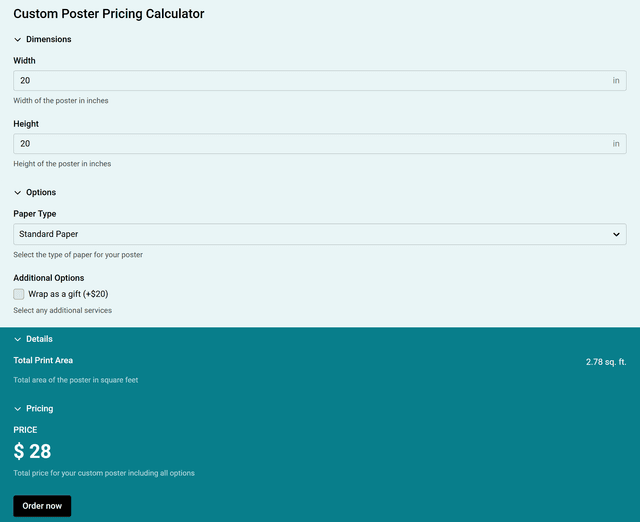
A print shop configures the calculator for custom merchandise orders. Service options represent different product types: business cards, flyers, and banners. Extras cover premium paper stock, rush turnaround, and design assistance. The quantity slider handles order volume. What used to require a phone call and a manual quote now happens automatically on the website, freeing up the front desk staff to handle in-person customers.
A SaaS company adapts the template for their onboarding packages. Base tiers cover different levels of setup assistance, while extras include data migration, custom integrations, and training sessions. Quantity represents the number of user seats. Embedding the calculator on their pricing page reduced the number of "how much does it cost" support tickets significantly, while also increasing the average deal size because customers could see exactly what they were getting for each add-on.
These examples show that the same simple structure — service choice, extras, quantity — adapts to virtually any business model. The key is mapping your pricing logic to these three inputs in a way that feels natural to your customers.
Benefits of Having a Quote Calculator on Your Website
Benefits to Your Business:
Capture more qualified leads. A quote calculator acts as a lead qualification tool. Visitors who interact with it are signaling buying intent. By the time they reach out, they already know your pricing and are ready to move forward rather than just shopping around.
Save hours on manual quoting. Every quote you send manually takes time — reviewing requirements, calculating costs, formatting a proposal, sending it, following up. A calculator handles the initial estimate automatically, so your team only spends time on prospects who are serious.
Increase average order value. When extras and add-ons are presented alongside the base service, customers naturally consider upgrading. The visual, interactive format makes upselling feel like self-discovery rather than a sales push. Businesses using quote calculators commonly see higher per-order revenue.
Reduce bounce rates on pricing pages. Visitors leave when they can't find pricing. A quote calculator keeps them engaged by giving them something to interact with. More time on page means more opportunity to convert, and it sends positive engagement signals to search engines.
Get actionable data on buyer preferences. Every interaction with your calculator tells you something — which service tier gets the most selections, which extras are popular, what quantity ranges people choose. This data helps you refine your pricing, packaging, and marketing.
Stand out from competitors. Most businesses in your space still use static pricing tables or "contact us" forms. A dynamic, interactive quote calculator signals professionalism and transparency, which builds trust before you ever have a conversation.
Benefits to Your Customers:
Instant pricing transparency. No waiting for emails, no awkward phone calls. Customers get the number they need right away, which respects their time and keeps them in control of the buying process.
Full control over their order. The interactive format lets customers explore different configurations at their own pace. They can toggle options, adjust quantities, and see how each choice affects the price. It feels empowering rather than transactional.
Reduced decision anxiety. When pricing is hidden, buyers worry about overpaying or getting surprised later. A quote calculator removes that uncertainty by showing exactly what each component costs, making the decision feel safer.
Better buying experience on mobile. The calculator works across all devices, so customers browsing on their phone get the same smooth experience as desktop visitors. No pinching, zooming, or struggling with forms — just tap, select, and see the price.
Confidence in what they're paying for. Each service tier and add-on is clearly labeled with its price. Customers know exactly what's included and what's extra, which reduces post-purchase regret and support requests.
Learn how to create your own custom calculator with our website calculator builder guide.
Instant Price Quote Calculator FAQs:
Build Your Quote Calculator Today
Create a custom quote calculator for your website in minutes. Let visitors price your services instantly and turn more browsers into buyers.